Dealer information
Answer with known facts.
When an answer is unavailable or the request crosses a limit, chat says so or brings in the team.
Add live chat to your dealership website without replacing it. Cronus keeps questions, current stock, test-drive booking, and team takeover in one thread.
Last updated
The shopper sees stock and booking. The team sees the same thread.

The conversation sits beside the vehicle journey and keeps the shopper on the dealer site.
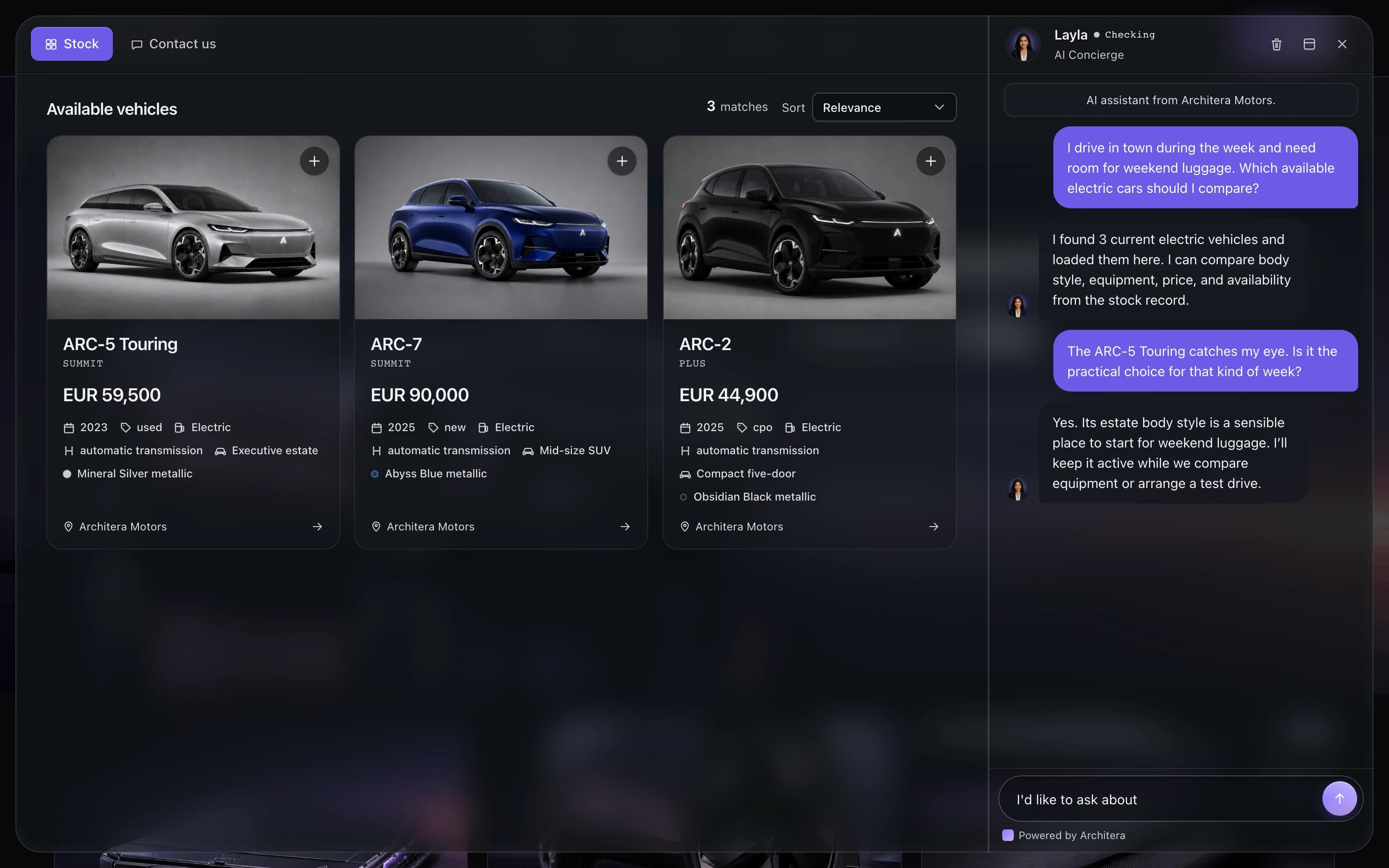
Vehicle cards keep the model, price, and next action in the conversation.

The test-drive step keeps the chosen vehicle with the booking details.
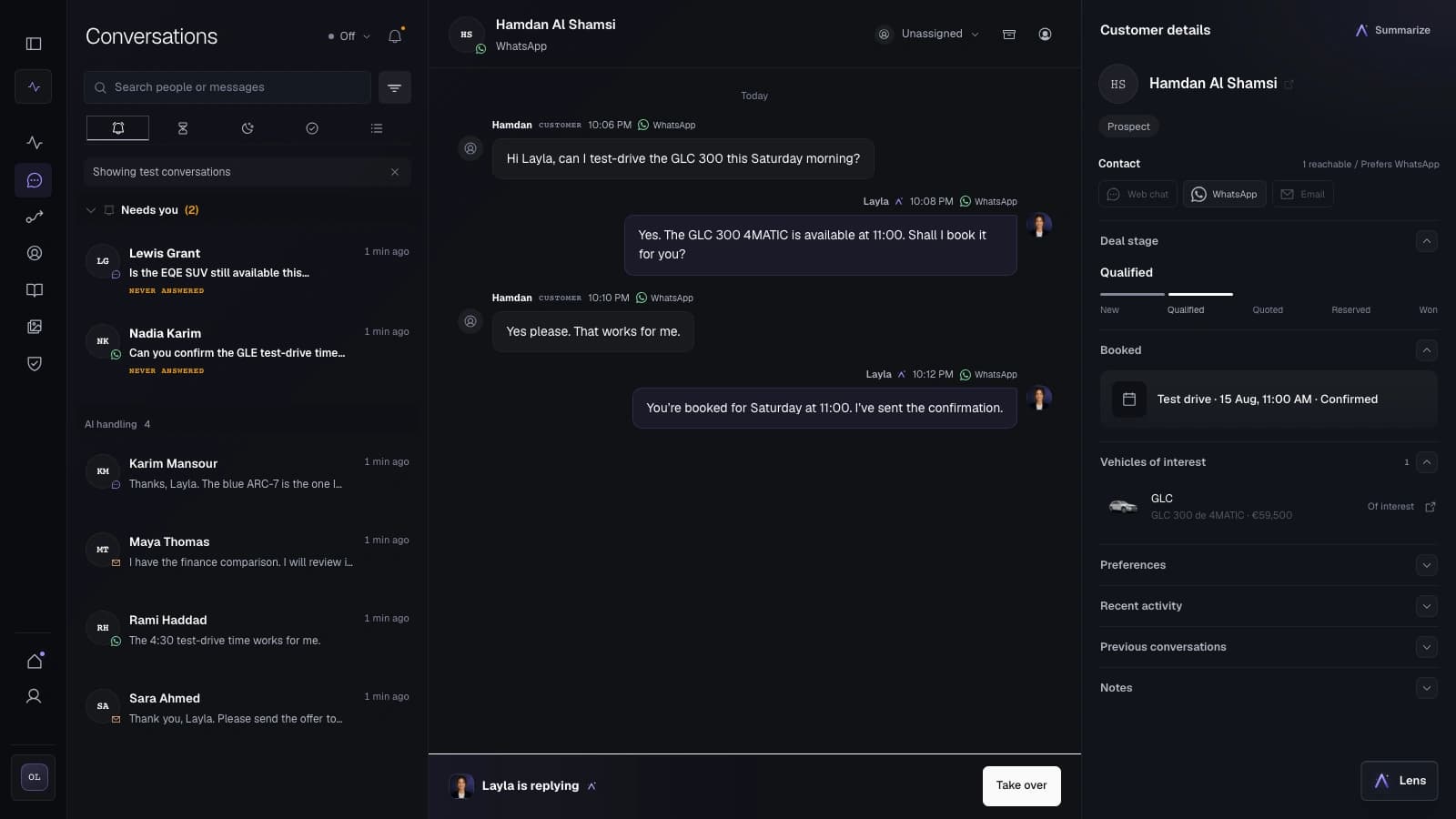
The operator sees the booked test drive beside the conversation and can take over.
Put chat on the pages where questions begin, using the dealership information and current stock connected for the rollout.
Dealer information
When an answer is unavailable or the request crosses a limit, chat says so or brings in the team.
Current stock
Show vehicle cards from the connected inventory feed and carry the selected car into the next step.
A useful conversation ends with a booking, a clear request, or a person joining the thread.
Test drive
Gather the vehicle, preferred time, location, and customer details needed for the booking path.
Takeover
An authorized operator can review the conversation and take over the same thread.
Use basic chat for basic questions. Use Cronus when stock, booking, and takeover belong in one thread.
A focused chat tool can suit simple website answers and lead capture.
Cronus keeps the shopper's question, supplied stock, booking step, and team handover in one conversation.
Yes. Cronus web chat can be added to an existing dealership site. The rollout sets where it appears, what it may answer, and when it hands the conversation to your team.
Yes, when a current inventory feed is connected. The widget uses the vehicle facts and availability supplied by that feed and keeps the chosen car in the conversation.
Yes, when the required customer details, vehicle, schedule access, and permissions are available. Otherwise the conversation can send a clear request to the team.
An authorized operator can see the conversation, customer, and vehicle, then take over the same thread.
We map the customer path, the AI role, and the team handover.