Vehicle questions
Answer from approved dealership context.
Use current vehicle and dealership information, then keep the customer's chosen car with the conversation.
Let an AI agent answer common questions, continue vehicle interest, book the next step, and hand the conversation to your team. The customer stays in one thread and your rules stay in force.
Last updated
Cronus keeps the customer-facing thread beside the context and controls the dealership team needs.

The agent responds in the channel the customer already uses and keeps the vehicle and appointment in context.
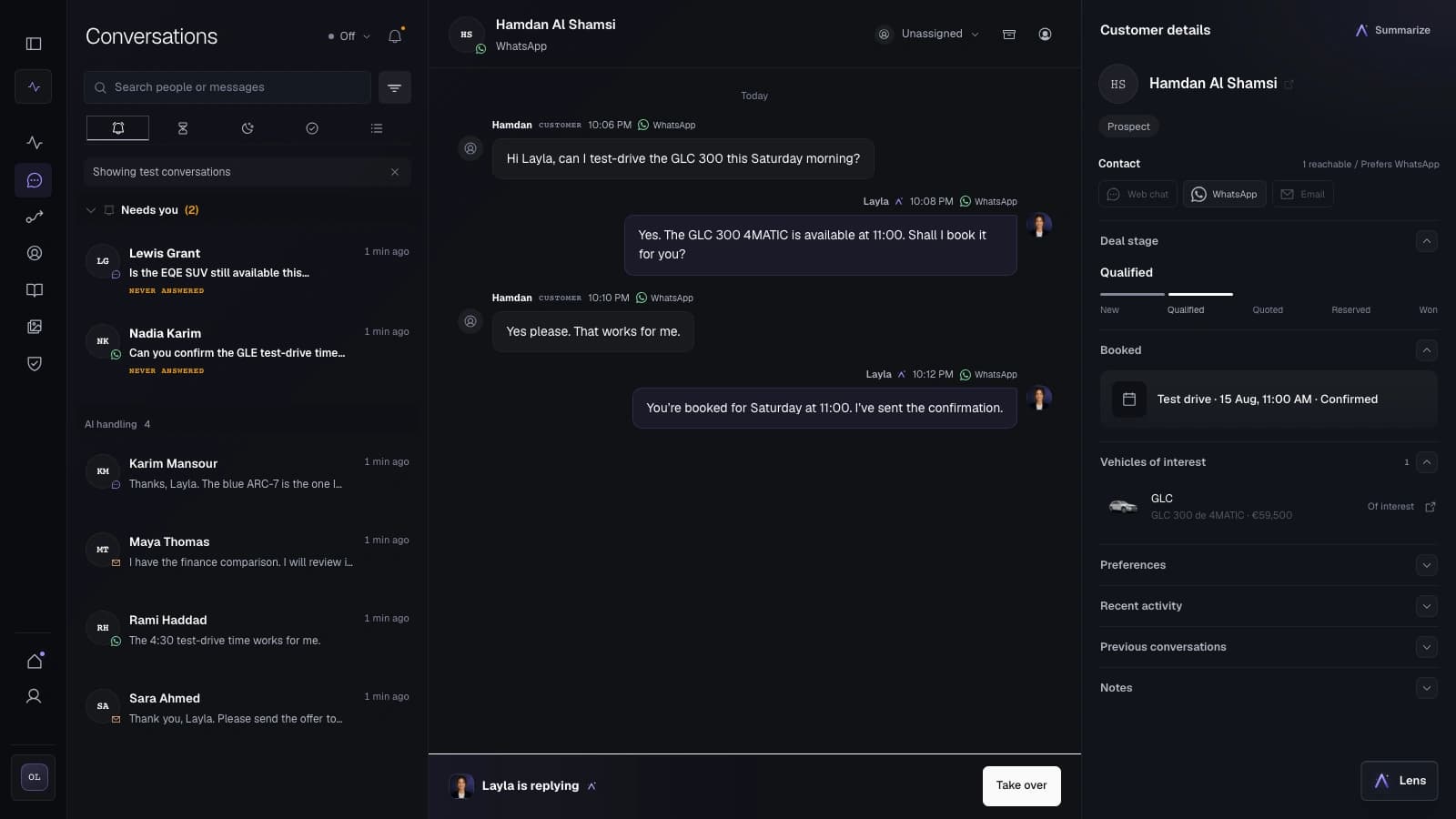
The dealership sees the customer, vehicle, current conversation, and handover control in one place.
A dealership WhatsApp conversation often needs stock context, a booking, or a team handover. Cronus keeps those steps attached.
Vehicle questions
Use current vehicle and dealership information, then keep the customer's chosen car with the conversation.
Bookings
Collect the useful details, offer a valid next step, and write the confirmed appointment back to the customer record.
The channel has specific rules for outreach and free-form replies. Architera checks them at the point of sending.
Consent and disclosure
Outbound journeys use consent checks. The first AI contact includes disclosure unless the message has verified human authorship.
Customer-service window
If the open reply window cannot be verified, a free-form message is blocked rather than sent on an assumption.
WhatsApp carries the conversation. Cronus connects it to the customer, vehicle, booking, follow-up, and team controls behind the reply.
An operator searches for the vehicle and customer context, then copies the outcome into another system.
The agent and the team can work from the current conversation, vehicle interest, consent, and next step.
Yes. A configured Cronus agent can answer approved questions, continue vehicle interest, collect useful details, and book or hand over the next step.
Yes. The conversation stays visible to the dealership team, and an authorized person can take over when the customer asks or the situation needs human judgement.
Outbound journey sends pass through consent and frequency checks. Inbound consent or opt-out signals are recorded, and withdrawn consent blocks automated replies that should not be sent.
Free-form sending is blocked when the open window cannot be verified. An approved template is required for an eligible message outside that window.
Yes, when those sources are connected for the rollout. Cronus can keep the selected vehicle and available booking step with the customer conversation.
We map the customer path, the AI role, and the team handover.